

You built the site. You hit publish. You Googled your own business name — and found nothing.
That’s not a bug. That’s the default. A brand-new website enters the internet with zero authority, zero links, and zero history, and Google has no reason yet to trust it over the millions of pages already competing for the same searches. New website SEO is the work of giving Google those reasons, in the right order, as fast as possible.
This guide walks the whole thing end to end: getting indexed, picking keywords you can actually win, on-page fundamentals, building authority, local visibility, and getting cited in AI search. Work through it and you’ll have a real foundation. Where the DIY route stops being worth your time, we’ll tell you that too — and show you the faster way.
Why a new site is invisible at first (and how long SEO really takes)
Here’s the uncomfortable data. Ahrefs studied newly published pages and found that only 1.74% reach Google’s top 10 within a year for even one keyword (Ahrefs). Meanwhile, 72.9% of pages currently sitting in the top 10 are more than three years old (Ahrefs).
Zoom out further and it gets starker: 96.55% of all pages get zero search traffic from Google (Ahrefs).
Read that as a strategy brief, not a death sentence. Those numbers describe the average new page — published with no keyword research, no internal links, and no backlinks pointing at it. You’re about to do all three deliberately, which is exactly what separates the 3.45% from everyone else.
Realistic timeline for a new site doing this properly:
- Weeks 1–4: indexed, technical foundation set, first pages live
- Months 2–4: long-tail keywords start ranking, first trickle of organic traffic
- Months 4–8: authority building compounds, mid-difficulty terms move
- Months 8–12+: competitive commercial terms become realistic
The single biggest lever on that timeline is authority — how many quality sites vouch for yours. We’ll come back to that, because it’s where DIY hurts most.
Step 1 — Make sure Google can find your site
Nothing else on this list matters if Google can’t crawl and index you. Do these four things today.
Set up Google Search Console. It’s free, it’s Google’s own tool, and it tells you exactly which of your pages are indexed and which aren’t. Verify your domain, then open the Page Indexing report. Google’s own Search Console documentation walks through verification.
Submit an XML sitemap. Most platforms generate one automatically at /sitemap.xml or /sitemap_index.xml. Submit it in Search Console under Sitemaps. Google’s sitemap guidelines cover the format if you’re building one by hand.
Check your robots.txt isn’t blocking you. Plenty of new sites launch with a leftover Disallow: / from the staging environment. Visit yourdomain.com/robots.txt and confirm it isn’t blocking everything.
Kill the “noindex” flag. If you built on WordPress, check Settings → Reading and make sure “Discourage search engines from indexing this site” is unchecked. This one setting silently kills more new-site launches than any other.
Then confirm it worked: search site:yourdomain.com in Google. If pages come back, you’re indexed. If nothing comes back after a week, revisit the four items above.
Step 2 — Pick realistic keywords to start
The instinct is to target the biggest term in your industry. Don’t. A new site chasing “insurance” or “running shoes” is bringing a knife to an artillery duel.
Target long-tail keywords instead — longer, more specific phrases with lower competition and clearer intent. They convert better too, because someone searching “emergency plumber north dallas sunday” is much closer to buying than someone searching “plumber.”
How to find them without paid tools:
- Start with what you sell. List every service or product in plain customer language.
- Mine Google’s own suggestions. Type a seed term and read the autocomplete dropdown, the “People also ask” box, and the “Related searches” at the bottom of the results page. That’s Google telling you what real people type.
- Add qualifiers. Location, price, “best,” “for beginners,” “vs,” “near me,” “how to.”
- Check the SERP before you commit. Search the term. If page one is all major brands and Wikipedia, skip it. If you see forums, small sites, and thin pages, you have an opening.
- Map one keyword per page. Two pages targeting the same phrase compete with each other — that’s keyword cannibalization, and it’s self-inflicted.
Worth knowing: the average top-ranking page also ranks in the top 10 for nearly 1,000 other relevant keywords (Ahrefs). You’re not writing one page per keyword — you’re writing one genuinely useful page per topic, which then picks up hundreds of variations on its own.
Step 3 — On-page SEO basics
On-page SEO is everything you control directly on the page: the title, the headings, the copy, the internal links, the images. It’s the cheapest ranking work available and most new sites do it badly.
The essentials, fast:
- Title tag — unique per page, primary keyword near the front, roughly 50–60 characters. Note that Google rewrites title tags 33.4% of the time (Ahrefs), and is 57% more likely to rewrite ones that are too long. Keep them tight.
- Meta description — doesn’t directly rank you, but it sells the click. Google only displays yours about 37.22% of the time (Ahrefs), so write it for the times it counts.
- One H1 per page, matching the page’s topic. This is a real problem area: 59.5% of sites have missing H1 tags and 51.3% have multiple H1s (Ahrefs).
- Clean URLs —
/emergency-plumbing-dallas/, not/page-id-4471?cat=7. - Image alt text — 80.4% of websites have missing alt attributes (Ahrefs). Describing your images is free accessibility and free relevance.
- Internal links — link between your own pages with descriptive anchor text. Zyppy’s internal linking study found pages with at least one exact-match internal anchor had five times more traffic than pages without (Zyppy).
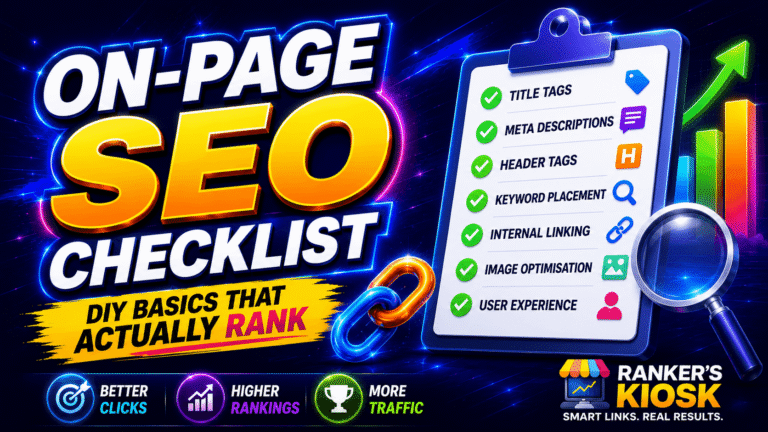
There’s more nuance to each of these than fits here. Work through our on-page SEO checklist and you can knock the whole lot out page by page.
If you’d rather have it done properly the first time across every page on the site, our on-page optimization service handles titles, headings, internal linking and technical cleanup as one job.
Step 4 — Build authority with backlinks
Here’s the part nobody can shortcut with better copywriting. Google still leans heavily on links as a trust signal, and Ahrefs’ analysis of 10,000 SERPs found that pages ranking higher tend to acquire more new followed referring domains, with top-ranking pages gaining new linking sites at a pace of +5% to +14.5% per month (Ahrefs).
Your brand-new site has none of that. Two-thirds of pages on the web — 66.31% — have no backlinks at all (Ahrefs), and they’re the same pages getting no traffic.
The safe DIY methods, roughly in order of effort:
- Business directories and citations — quick, low-risk, foundational
- Social profiles and bookmarks — easy trust signals, fast to set up
- Guest posting — write for relevant sites in your niche and earn a contextual link
- Digital PR — get quoted, surveyed, or cited by journalists and bloggers
- Niche edits — placements inside existing, already-indexed articles
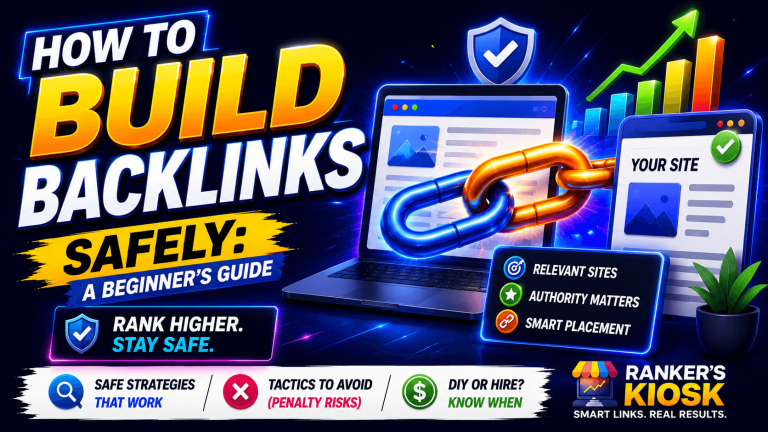
Our full walkthrough is here: how to build backlinks safely.
And here’s where DIY hits its first hard wall. Industry survey data puts the time to build a single link at one to two hours (Aira State of Link Building) — that’s outreach, negotiation, writing, and follow-up per link. A new site typically needs dozens before it moves. Do the multiplication and you’ve committed a month of full-time work to something you can have running in the background instead.
That’s the case for done-for-you placements. Our guest posting service puts your links in real, indexed, topically relevant publications without you writing a single outreach email — start with a small guest post batch and scale as the site matures.
Step 5 — Local SEO if you serve an area
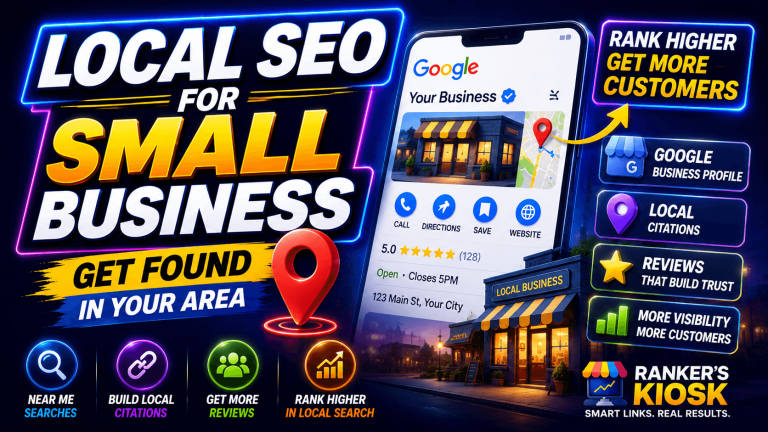
If you serve customers in a physical place — a city, a service radius, a storefront — local SEO is the highest-ROI work on this entire page. It’s a separate ranking system with its own map pack, and new businesses can win there far faster than in national organic results.
Start with your Google Business Profile. Google’s own data says customers are 2.7 times more likely to consider a business reputable when it has a complete Business Profile, and 70% more likely to visit (Google Business Profile Help). Whitespark’s ranking factors survey puts Business Profile signals at 32% of local pack ranking influence — the single biggest category (Whitespark).
After that it’s citations, reviews, and location-specific pages. The full playbook is in our local SEO guide for small business, and when you’re ready to stop manually submitting to directories one at a time, our citation service builds a consistent NAP footprint across the directories that actually count.
Step 6 — Get found in AI search, not just Google
This is new, it’s moving fast, and ignoring it in 2026 is a mistake.
Pew Research tracked real browsing behavior and found that when a Google AI summary appears, users click a traditional search result 8% of the time versus 15% when there’s no summary — and they click a link inside the AI summary itself just 1% of the time (Pew Research Center). Separately, ChatGPT referral traffic grew 206% year over year between January 2025 and January 2026 (Semrush).
Keep the scale honest, though: Google still sends 345 times more traffic than ChatGPT, Gemini and Perplexity combined (Ahrefs). AI search is an addition to your strategy, not a replacement for it.
The practical version — answer questions directly in the first paragraph under each heading, use clear structure, add schema markup, and get mentioned on sources these engines already trust. Full detail in our AI search optimization guide.
How long until results — and where DIY hits a wall
Assume six to twelve months to meaningful traffic on a new domain, faster if you’re going local or long-tail, slower if you’re in a competitive commercial niche.
Assume also that you will hit these three walls, because everyone does:
- Link building doesn’t scale on your calendar. One to two hours per link, and you need dozens. This is the wall that stops most new sites permanently.
- On-page work is tedious across a real site. Twenty pages of titles, headings, alt text and internal links is a weekend you’ll keep postponing.
- Consistency beats intensity, and consistency is hard solo. SEO rewards steady monthly progress. Most DIY efforts run hot for three weeks and then stop.
Being honest about this is the whole point of the guide. The DIY steps above are genuinely worth doing — they’re the foundation, and nobody can outsource your understanding of your own business. But the grind portion is a solved problem, and solving it yourself is the expensive option.
The shortcut: done-for-you SEO packages
If you’d rather spend your time running the business than chasing link placements, this is the faster path.
Start here if you’re launching: our SEO packages bundle the foundational work — on-page optimization, citations, and a first wave of authority links — into a single launch push. Grab a starter SEO package and you skip straight past the setup phase.
Then keep it compounding: SEO isn’t a one-time job. Rankings move because your competitors keep building. Our monthly SEO plans deliver a steady stream of links and optimization every month, which is exactly the pattern that correlates with rising rankings. Set up a monthly SEO plan and let it run in the background.
Or buy the individual pieces: if you already know what your site is missing, go direct — authority guest posts, niche edit placements, local citation building, or social bookmarking bundles to round out your link profile.
Not sure what to buy first? Our backlink buyer’s guide breaks down what’s worth paying for and what isn’t.
Frequently Asked Questions
How long does SEO take for a new website?
Expect six to twelve months for meaningful organic traffic on a brand-new domain. Long-tail and local keywords can move in two to four months; competitive commercial terms typically take a year or more. Ahrefs found only 1.74% of new pages reach the top 10 within a year (Ahrefs) — which is why doing the work deliberately matters so much.
Do I need SEO for my new website?
If you want customers to find you through search rather than only through ads and word of mouth, yes. Without SEO your site sits in the 96.55% of pages that get zero Google traffic (Ahrefs). Paid ads stop the moment you stop paying; organic rankings keep working.
How do I get my website on Google for free?
Verify your site in Google Search Console, submit an XML sitemap, make sure nothing in robots.txt or your CMS settings is blocking indexing, then check with a site:yourdomain.com search. Indexing is free and usually happens within days. Ranking is the part that takes work.
How many pages should a new website have for SEO?
There’s no magic number. Start with a page for every service you sell plus a homepage and contact page, then add content pages targeting specific questions your customers ask. Depth on a topic beats page count — one thorough page can rank for hundreds of related terms (Ahrefs).
How do I start SEO for a new website with no budget?
Do steps 1 through 3 yourself: get indexed, pick long-tail keywords, and fix your on-page basics. Those cost only time. The step that genuinely benefits from budget is authority building, because link acquisition takes one to two hours each (Aira) and that’s the bottleneck money actually removes.
Does a new website hurt my SEO if I’m replacing an old one?
It can, badly, if you don’t map 301 redirects from every old URL to its new equivalent before launch. Handled correctly, most rankings carry over within a few weeks. Handled carelessly, you start from zero — this is the most common self-inflicted SEO disaster there is.